
PRJ-030 · Software and Automation · Software

Remote Job Submission to a Pleated Fly Screen Drilling Machine

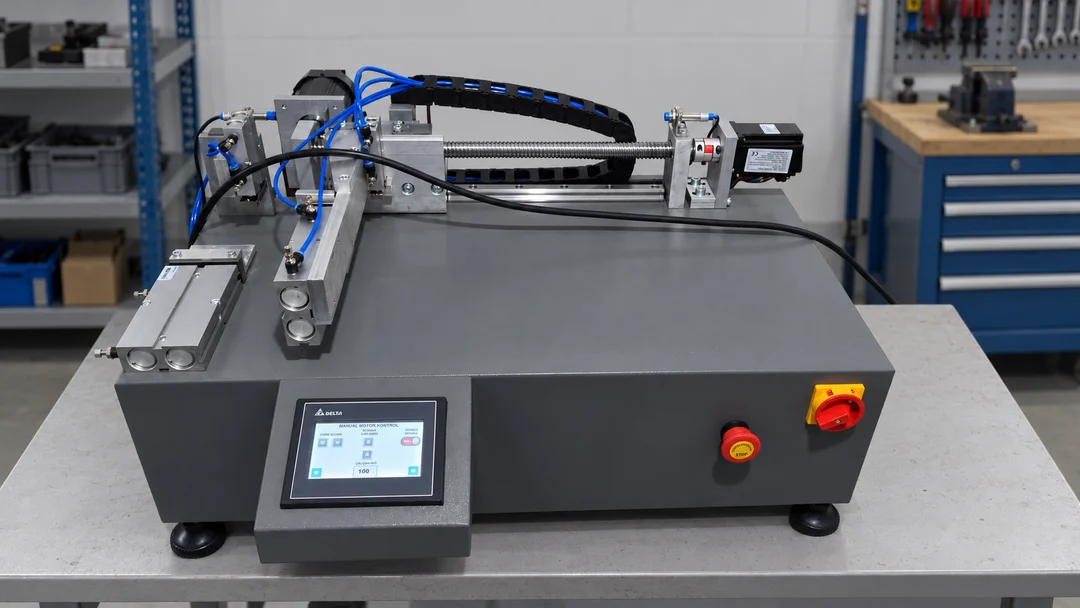
A custom desktop application was developed to send planning's production lists directly to SN Makine's pleated fly screen drilling machine. It reads and validates standard Excel data, converts it to machine-readable CSV and transfers it over the local network via FTP.

CustomerSN MAKİNE
IndustryCurtain / Insect Screen Machine Manufacturing
DisciplineSoftware and Automation
ApplicationDesktop job transfer software
Prepared byInfinitium Teknoloji
CodePRJ-030
DWG · PRJ-030REV A · 1:1
SN Makine production job list submission application

01Initial Situation

Product dimensions and production parameters for the pleated fly screen drilling machine had to be entered individually by the operator at the machine. The link between planning's production list and actual machine production depended on manual data entry.

This arrangement prolonged the process between planning and production and exposed it to entry errors. The aim was to validate planning data and deliver it directly to the machine's job list.
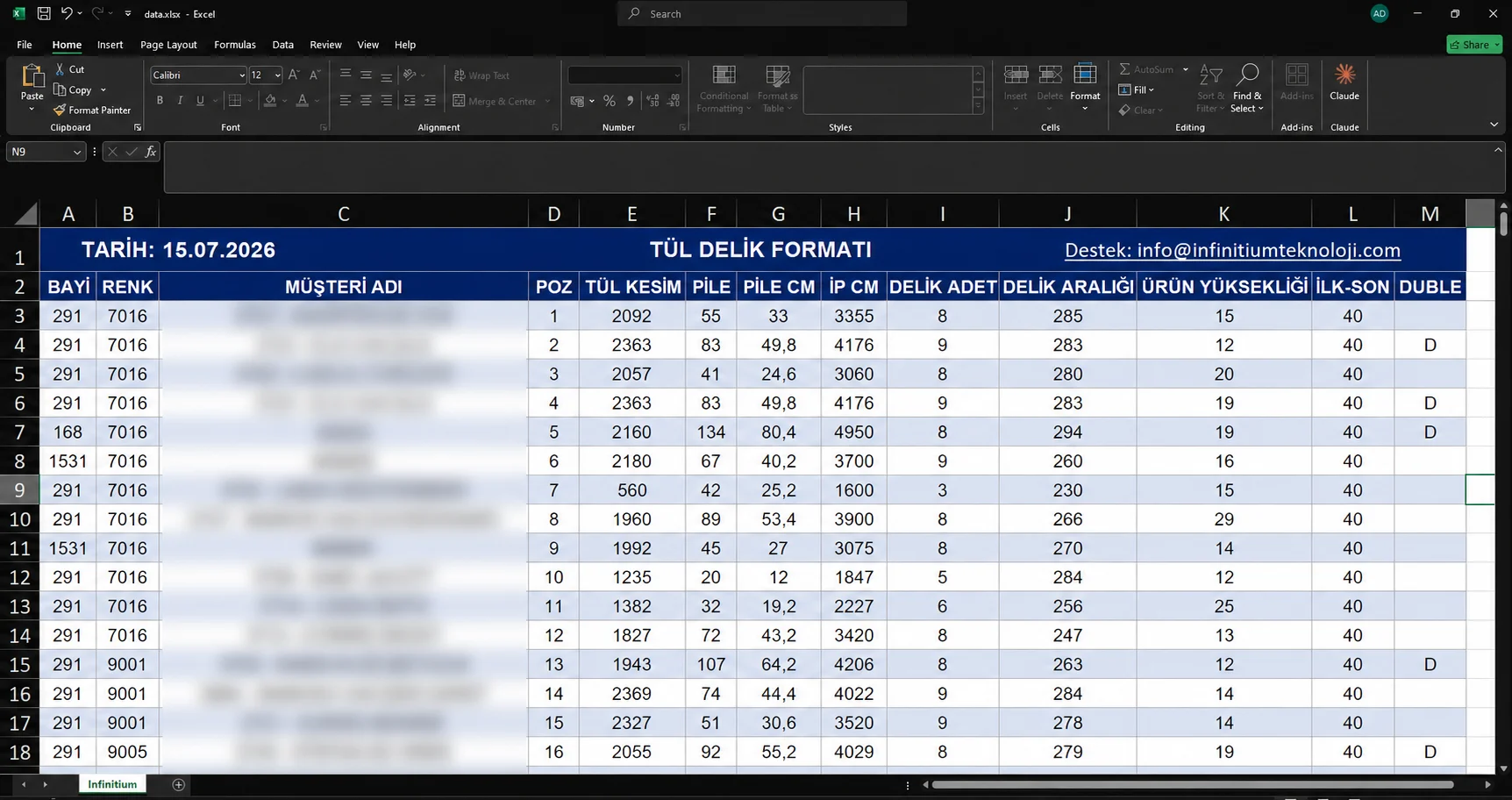
Standard Excel production file

02Applied Solution

Production information is imported through a standard Excel file prepared for the company. The software automatically reads and checks item number, mesh cut dimension, hole count, product height and other parameters needed for production.

Invalid or out-of-range data is detected before machine transfer to prevent incorrect production. Validated data is converted to the specific CSV format read by the machine's controller and transferred via FTP over the local network, updating the job list.
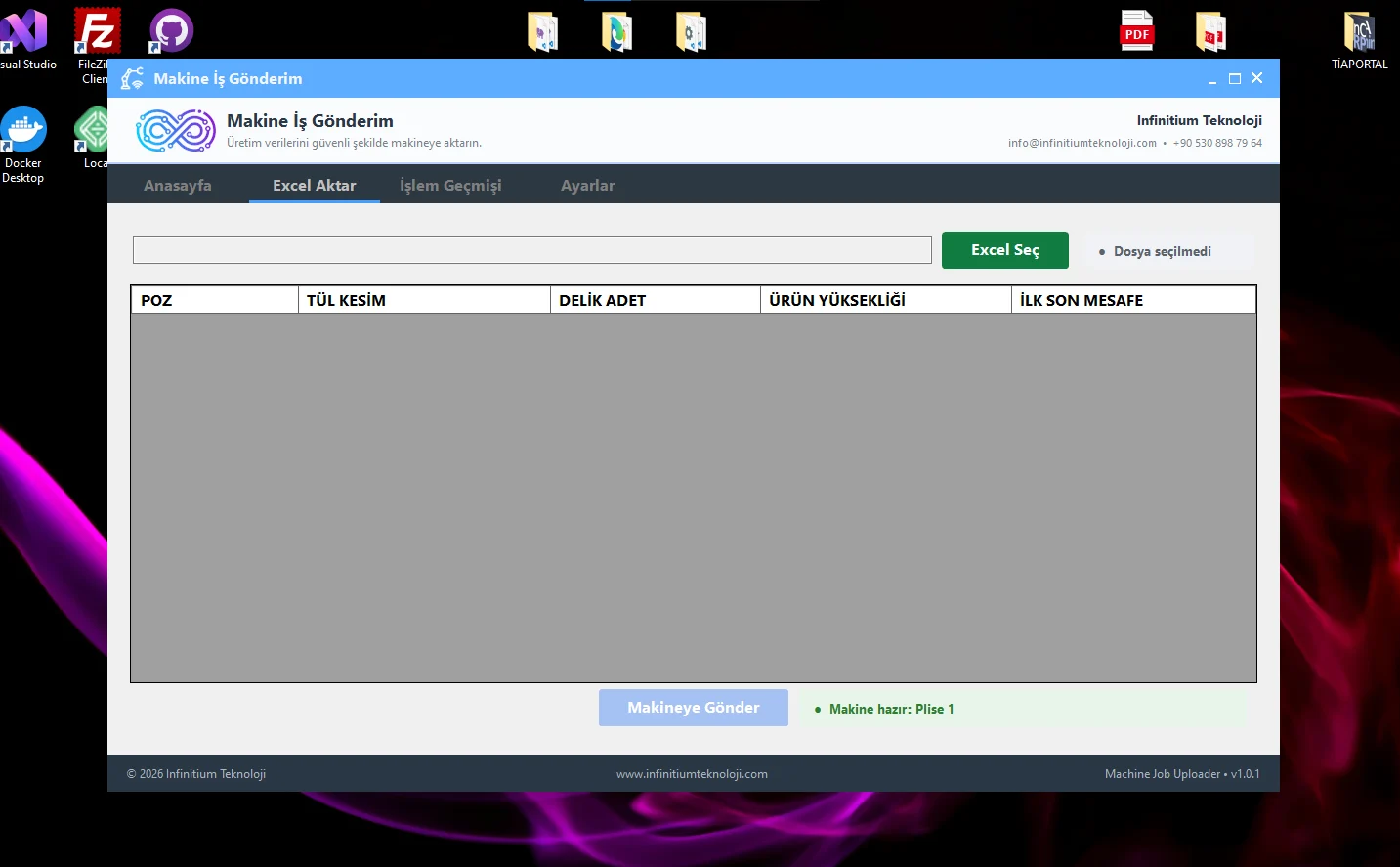
Excel import screen
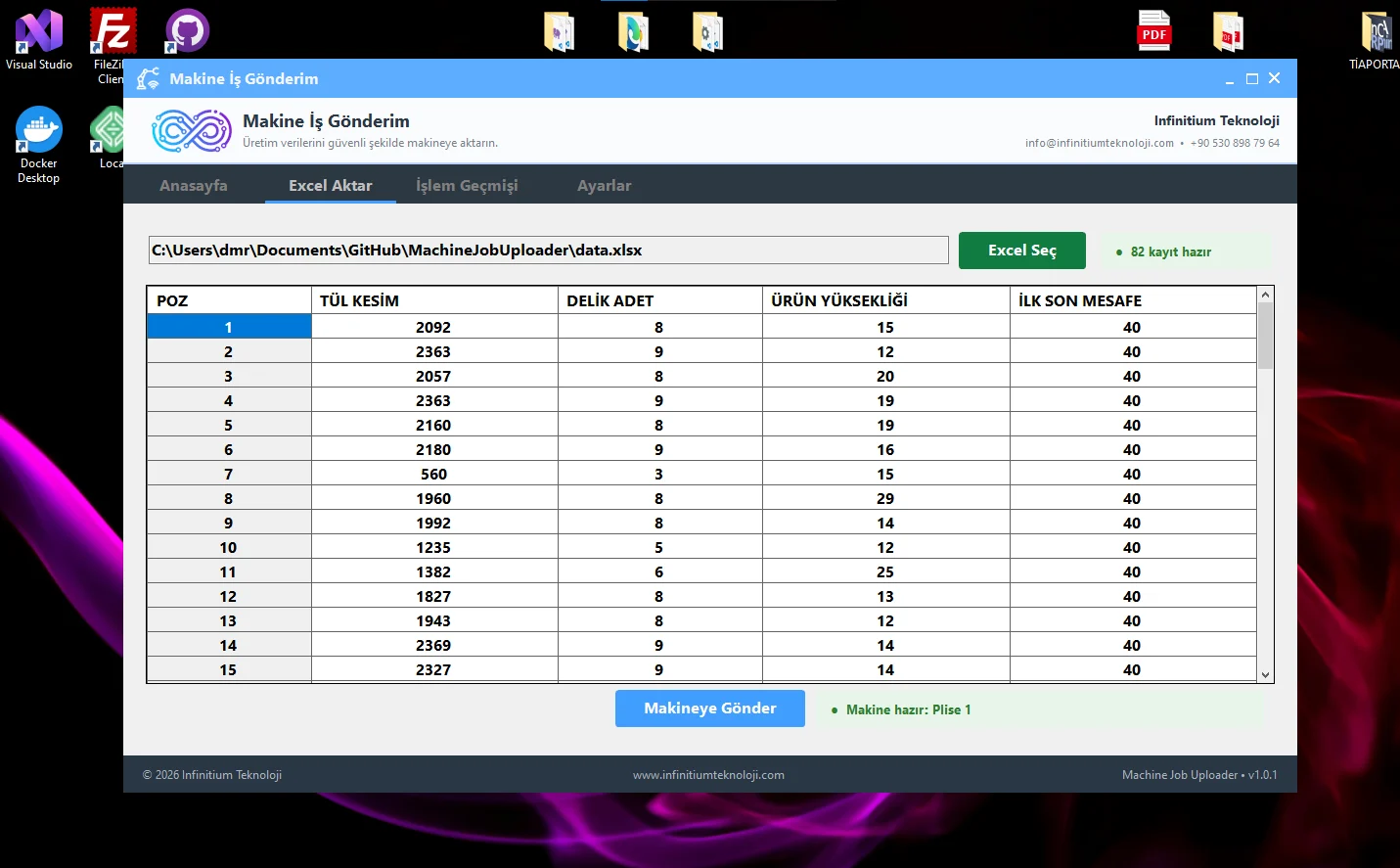
Excel import screen
Production data read from Excel

03Technical Assessment

One application manages data transfer from Excel to the machine. It includes transfer history, operation and error logs, connection checks and computer-specific licensing infrastructure.

This makes the application more than a simple file transfer tool: it becomes an integrated system for secure, traceable production data flow. Transfer history and error logs also allow transfer issues to be investigated later.
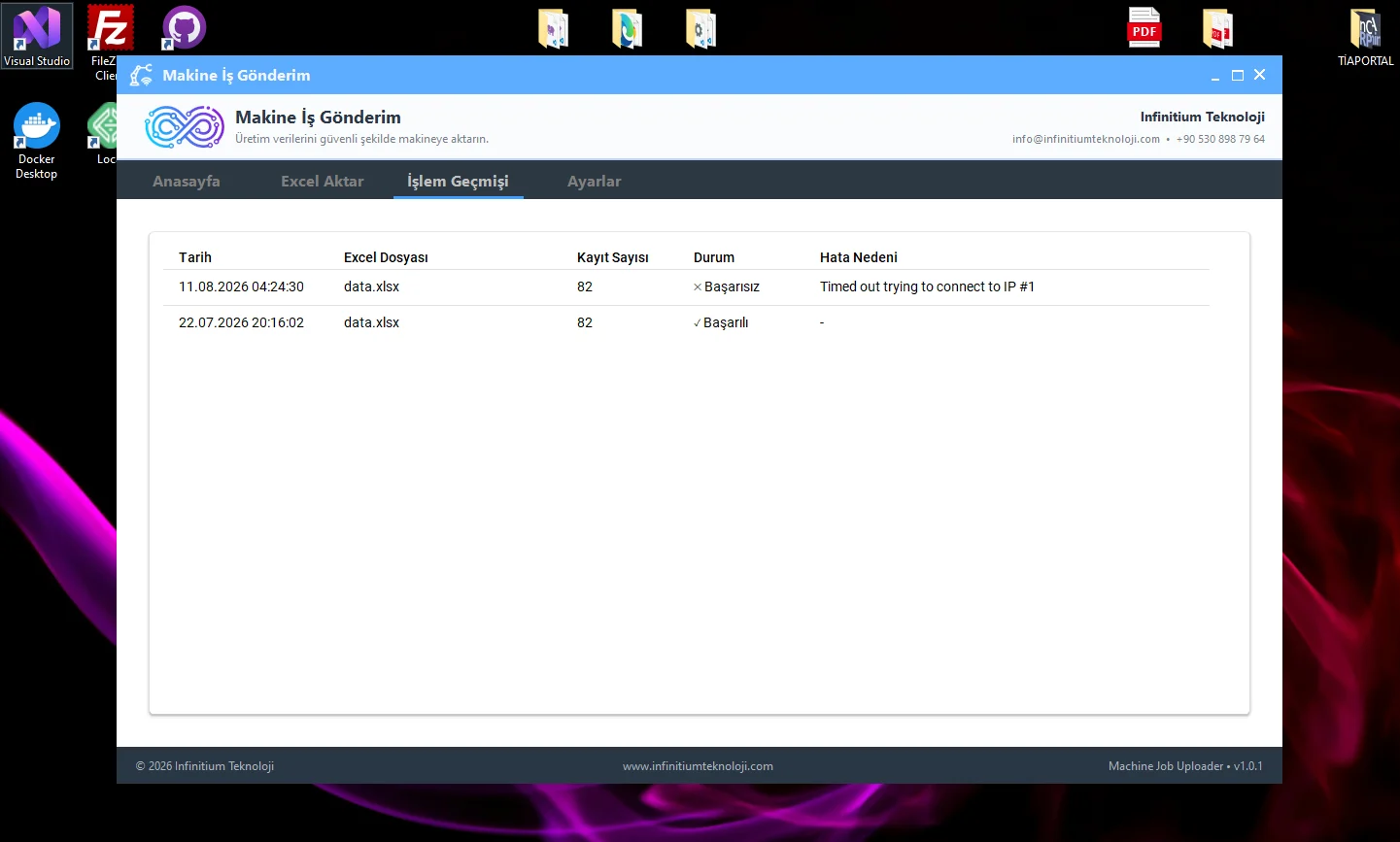
Transfer history screen
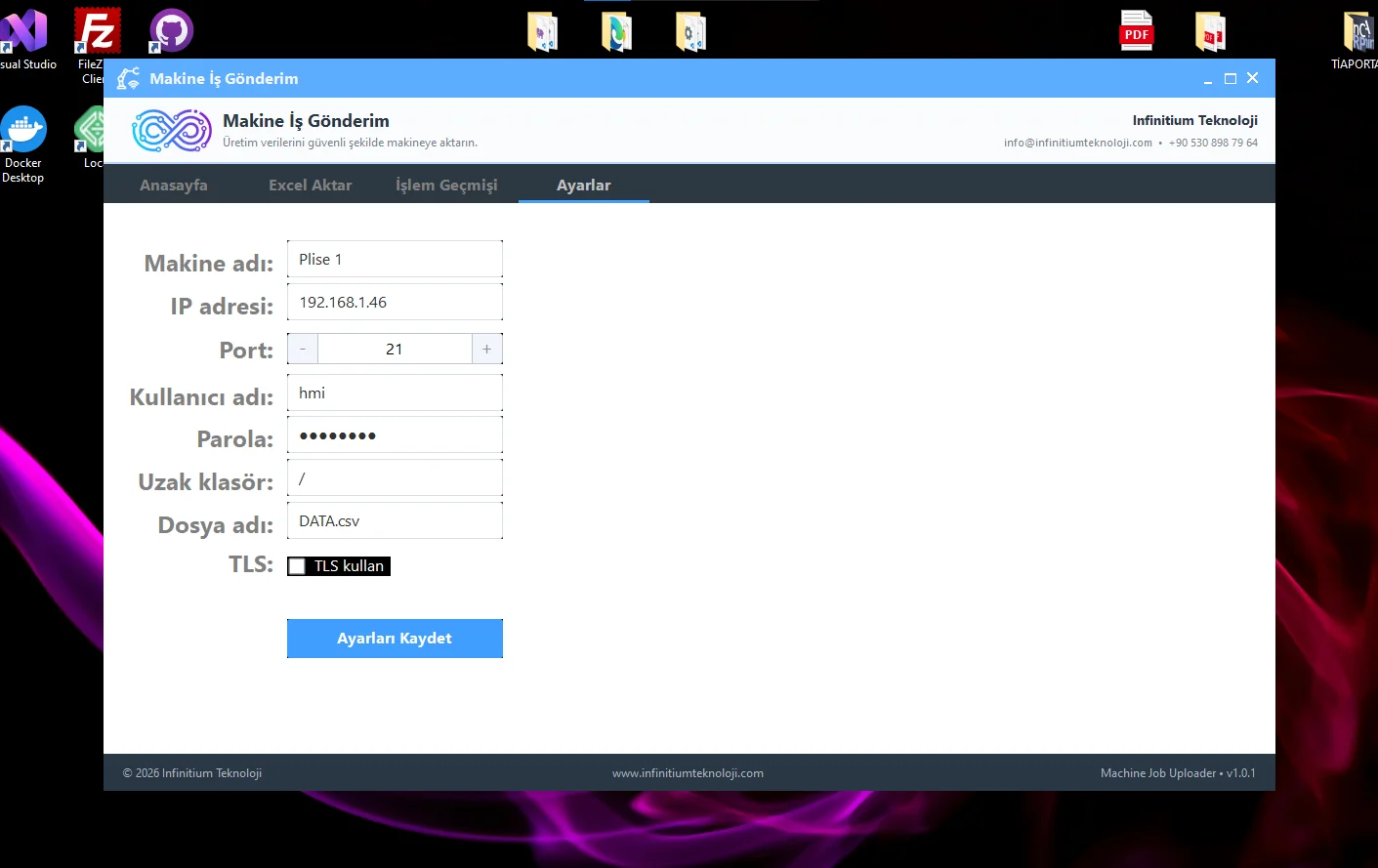
Machine connection settings
Data flow from Excel to the machine
StageOperation
ExcelReading item, mesh cut, hole count, product height and other parameters from the standard file
VerificationDetecting invalid or out-of-range data before transfer
CSVConverting validated data to the machine-specific format
FTPTransferring the file over the local network and updating the job list

04Implementation Result

The system largely eliminated manual entry of product dimensions and production parameters at the machine. Planning can prepare jobs in advance and send them in one transfer; the operator produces the received job list in sequence.

This reduces data entry errors and accelerates the process between planning and production. The application forms the computer-side part of the remote job list feature developed for the same machine's automation system.

05Project Outcomes

Transfer in one goJob list from planning to the machine
Pre-transfer validationInvalid data detected before reaching the machine
TraceabilityTransfer history and error logs

“We can prepare job dimensions in Excel and send them to the machine in one go. Operators no longer re-enter dimensions for each product, reducing both setup time and manual entry errors considerably. Planning's job list transfers directly to production.”

Selim · Company Representative
Project Tags

SoftwareIntegrationData Transfer
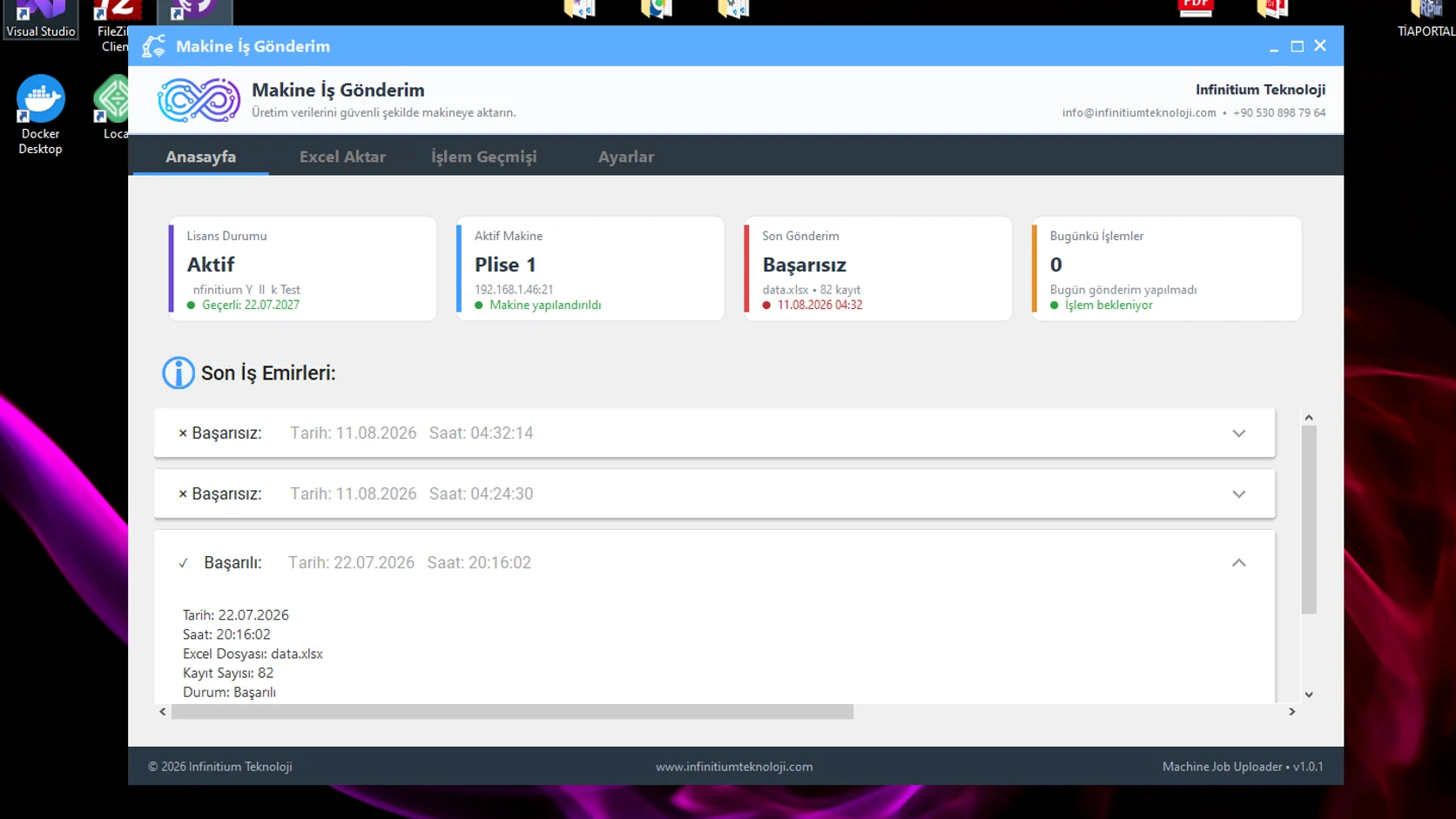
Application home screenMedia 01 / 06WEBP · 16:91672 PX · 16:9941 PX
Excel import screenMedia 02 / 06WEBP · 16:101433 PX · 16:10887 PX
Production data read from ExcelMedia 03 / 06WEBP · 16:101431 PX · 16:10887 PX
Transfer history screenMedia 04 / 06WEBP · 5:31441 PX · 5:3867 PX
Machine connection settingsMedia 05 / 06WEBP · 16:101411 PX · 16:10889 PX
Standard Excel production fileMedia 06 / 06WEBP · 17:91724 PX · 17:9912 PX
Home page

Application home screen

Home screen listing licence status, active machine, latest transfer and recent work orders.

Excel import

Excel import screen

Empty import table before file selection, showing item, mesh cut, hole count, product height and first-to-last distance columns.

Loaded list

Production data read from Excel

Screen listing item-based dimensions read from the selected Excel file, ready for machine transfer.

Operation history

Transfer history screen

Successful and failed transfers listed with date, Excel file, record count, status and error reason columns.

Connection settings

Machine connection settings

Settings screen with machine name, IP address, port, username, remote folder and file name fields.

Excel template

Standard Excel production file

Mesh hole format with the customer name column blurred, showing item, mesh cut, hole count, hole spacing and product height columns.

Gallery · PRJ-030
Application home screen
Excel import screen
Production data read from Excel
Transfer history screen
Machine connection settings
Standard Excel production file
01 / 06
A Similar Project

Do you have a similar requirement at your facility?

Tell us about your project, and the same team will work on your line too.

Technical contact
Infinitium Teknoloji

Let's find a solution together.

Select the line you would like to call.

Line 1+90 530 446 56 95CallLine 2+90 530 898 79 64Call
WhatsApp contact

Let's start with a message.

Select the line you would like to message. WhatsApp opens in a new tab.

Line 1+90 530 446 56 95MessageLine 2+90 530 898 79 64Message